 415863fee9
All that was done here was the Cantera Python Tutorial from the Cantera website was transferred into a Jupyter Notebook. Some language was changed in order to keep things sensible, but most was kept the same as the original. |
||
|---|---|---|
| flames | ||
| reactors | ||
| thermo | ||
| .gitignore | ||
| canteraPythonTutorial.ipynb | ||
| Dockerfile | ||
| README.md | ||
cantera-jupyter
Cantera examples in the form of Jupyter notebooks. To see the rendered notebooks, browse the directories above or visit the links in the list of examples below.
Existing Cantera users: If you have Cantera and Jupyter installed on your local machine, simply download any iPython notebook and you should be able to run it.
New Cantera Users: If you don't have an exiting Cantera installation, you can either download and install Cantera or give Cantera a test drive in the cloud. Click on the Binder link below to launch an interactive environment where you can run these examples. For this, there is no installation required.

Examples
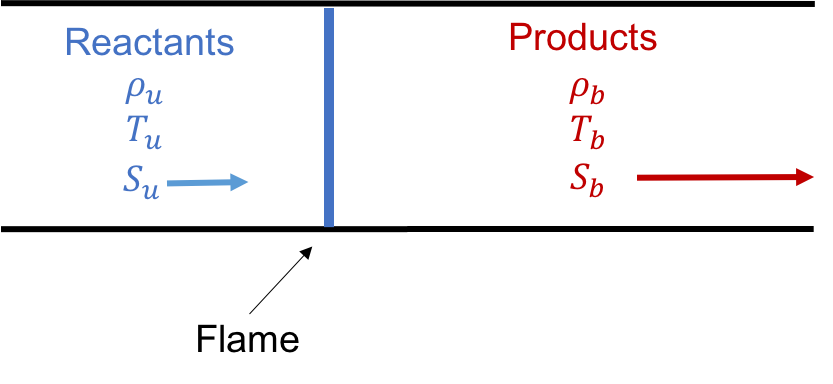 Freely Propagating Flame |
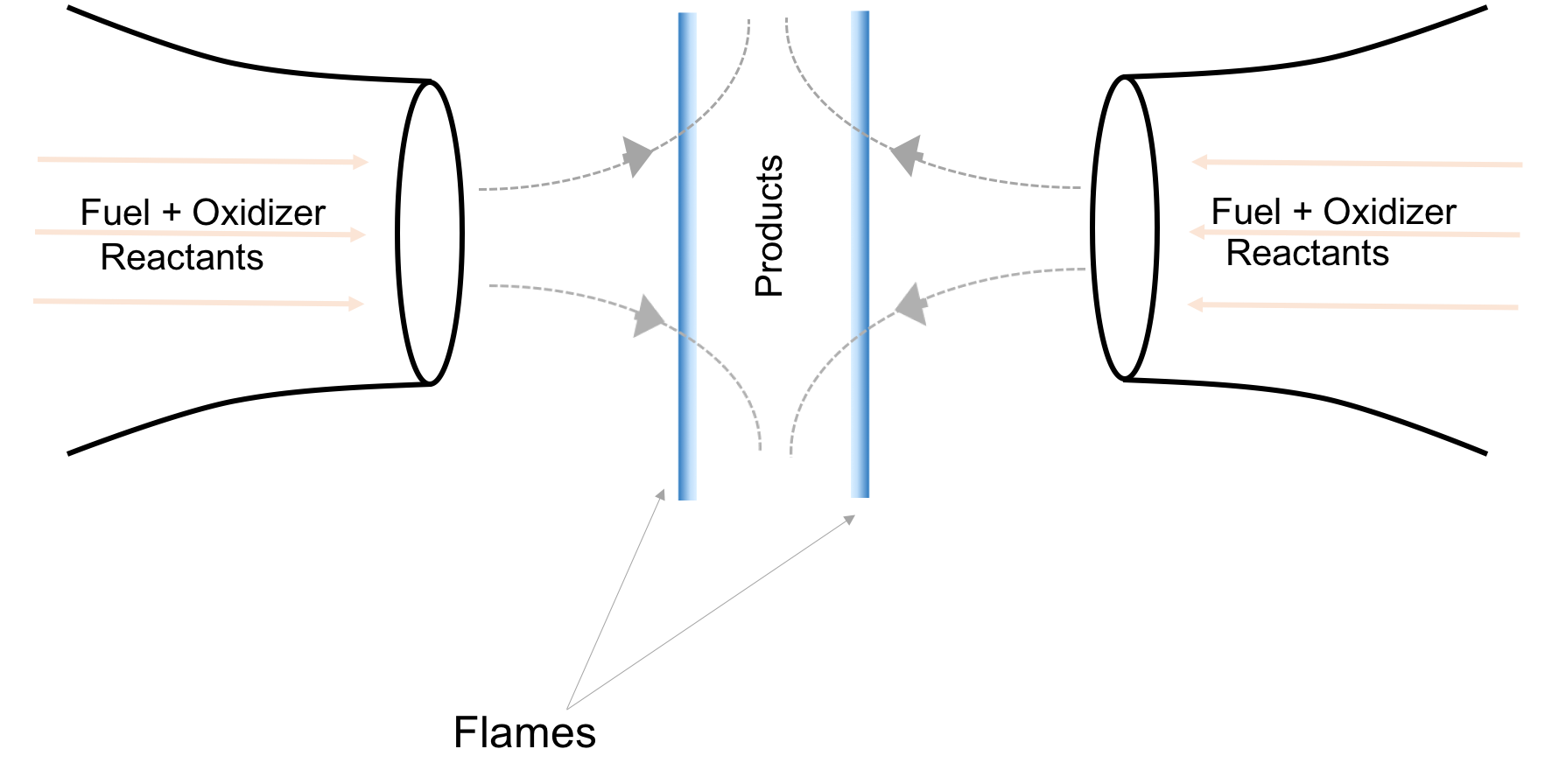 Strained Flames |
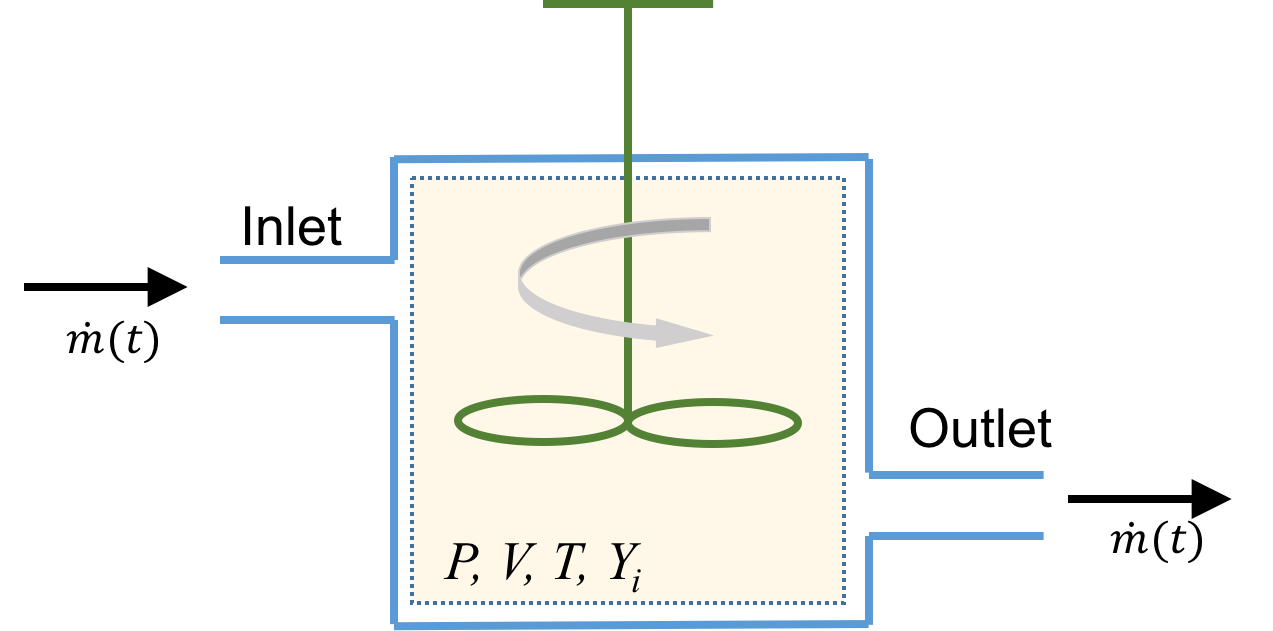 Continuous Stirred Tank Reactor |
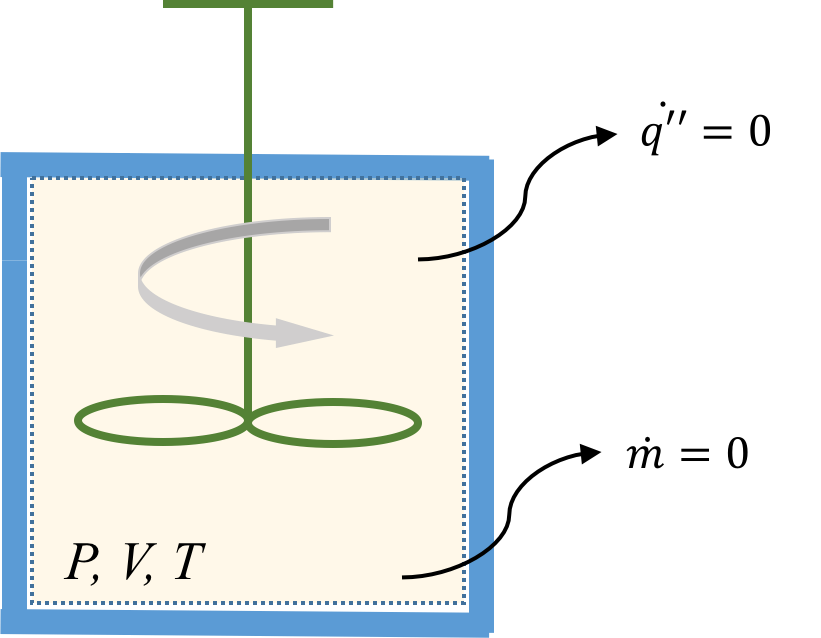 Batch Reactor |
-
Basic Thermodynamics Calculations
-
Flame Simulations
-
Reactor Models
Frequently Asked Questions
How do I use Cantera with Python?
To learn how to use Cantera with Python, click here. For more advanced uses of Cantera, the complete documentation can be found here.
Can I forgo installing Cantera locally and just use Cantera in the cloud every time?
The problem with using Cantera with Binder is that there is no way for you to save your work. You can upload/download files in a session, but once the session is over (you close your browser window), you lose all your work. You thus cannot save your modified iPython notebooks.
I still can't figure something out. Who do I ask?
If you have more questions, need help with something, or have any suggestions, please visit the Cantera Google Groups Page and create a post.